Implementing Apple App Attest for iOS API Security - No More Static Secrets
How Apple App Attest replaces static shared secrets with per-device hardware keys in the Secure Enclave to secure iOS API requests.
Why Static Secrets Don’t Work
The most common approach to signing API requests in iOS apps is embedding a shared secret in the binary - an API key, an HMAC secret, a token. The app uses it to sign requests, the backend verifies the signature.
The problem: every device ships with the same secret. And that secret lives in app memory.
HMAC-SHA256 with XOR obfuscation? A determined attacker with Frida or Hopper extracts the XOR key and the obfuscated bytes in minutes. Encrypted plists, hardcoded strings, environment variables baked at build time - same story. If the secret exists in the binary, it can be read.
Once extracted, the attacker forges signed requests from any HTTP client. Your mobile app is bypassed entirely. Your backend thinks it’s talking to a real user.
The root cause isn’t weak obfuscation. It’s the shared secret model itself. Every device having the same key means compromising one device compromises all of them.
App Attest: Per-Device Keys in Hardware
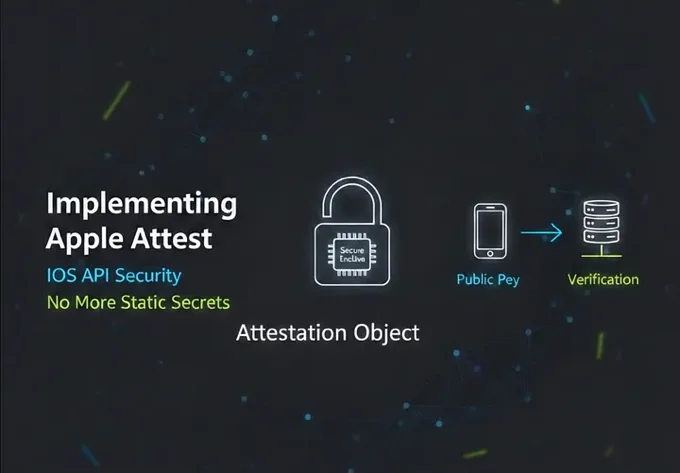
Apple App Attest (DeviceCheck framework, iOS 14+) takes a fundamentally different approach. Instead of a shared secret, each device gets its own key pair:
- The private key is generated inside the Secure Enclave and never leaves. You cannot read it, export it, or copy it.
- The public key is sent to your backend during a one-time attestation ceremony.
- Every API request is signed with the device’s private key. The backend verifies using the stored public key.
A Secure Enclave is a dedicated hardware security processor inside Apple chips that isolates cryptographic operations and sensitive key material from the main CPU and operating system.
Shared Secret (HMAC)
- Same static key embedded in every app binary
- If reverse engineered once, the secret is exposed for all users
- Anyone who knows the key can sign arbitrary requests
- No built-in device authenticity verification
App Attest
- Unique private key generated per device inside Secure Enclave
- Key is hardware-bound and cannot be extracted
- Monotonic counter prevents replay attacks
- Apple verifies the device and the integrity of the app
Compromising one device gives the attacker access to that device only. The key cannot be transferred.
How It Actually Works (Who Does What, Where)
1. Key Generation
On the app (device): When generateKey() is called, the Secure Enclave generates an asymmetric key pair:
- A private key (stored inside Secure Enclave).
- A public key.
The private key:
- Never leaves the device.
- Cannot be exported.
- Cannot be read from memory.
At this point:
- Apple does not know about this key yet.
- The backend does not know the public key yet.
- The app only receives a
keyIdthat references the hardware-bound key.
2. Attestation
To prove the key is legitimate:
On the backend:
- A one-time nonce is generated.
- A session ID is created to bind init and verify steps.
On the app:
- The nonce is hashed.
attestKey(keyId, clientDataHash:)is called.
On Apple:
- Apple verifies the device is genuine.
- Apple verifies the app’s bundle ID and Team ID.
- Apple creates a signed attestation object that includes:
- The device’s public key
- App identity
- The nonce hash
- Apple’s certificate chain
Apple returns this attestation object to the app.
On the app:
- The attestation object and session ID are sent to the backend.
On the backend:
- Apple’s certificate chain is validated locally.
- Apple’s signature is verified locally.
- The nonce is checked against the stored session.
- The public key is extracted.
keyId → publicKeyis stored.
Apple is not contacted during backend validation. All verification is done locally using Apple’s root certificate.
After this step, the backend trusts that the stored public key belongs to a real device running your app.
3. Assertion (Every API Request)
After attestation, Apple is no longer involved.
On the app:
- A signing string is built (method, path, timestamp, body).
- The hash of that string is signed using the private key inside Secure Enclave.
- The app sends:
X-Key-IDX-SignatureX-Timestamp
On the backend:
- The stored public key is loaded using
X-Key-ID. - The same signing string is rebuilt.
- The signature is verified using the public key.
- The monotonic counter is checked to prevent replay.
If verification succeeds, the request is accepted.
Architecture
We followed Clean Architecture with three layers:
Domain/
  AppAttestState.swift          - State enum
  AppAttestError.swift          - Error enum
  AppAttestServicing.swift      - Protocol
Data/
  AppAttestKeyStoring.swift     - Keychain protocol
  KeychainAppAttestRepository.swift - Keychain implementation
Infrastructure/
  AppAttestService.swift                    - Actor (attestation lifecycle)
  AppAttestRequestSigningInterceptor.swift  - Signs every request
  AttestationGatingInterceptor.swift        - Blocks requests until attested
The Domain layer defines the contract. The Data layer handles persistence. The Infrastructure layer does the actual work. No layer reaches into another - dependencies point inward.
Attestation: One-Time Per Device
Attestation runs automatically on app launch. It establishes trust between the device and the backend.
actor AppAttestService: AppAttestServicing {
    private var currentState: AppAttestState = .idle
    private let keyStore: AppAttestKeyStoring

    func beginAttestation() async {
        guard case .idle = currentState else { return }
        // Already attested in a previous session?
        if let storedKeyId = keyStore.readKeyId() {
            currentState = .attested(keyId: storedKeyId)
            return
        }
        guard DCAppAttestService.shared.isSupported else {
            currentState = .failed(.attestationFailed)
            return
        }
        currentState = .attesting
        await performAttestation()
    }
}
If a key ID exists in the Keychain, we skip everything - zero network calls, zero Apple server hits. The device was already attested.
For first-time attestation:
private func performAttestation() async {
    do {
        // 1. Generate key pair in Secure Enclave
        let keyId = try await DCAppAttestService.shared.generateKey()
        // 2. Get a challenge nonce and session ID from our backend
        let nonceResult = try await fetchNonce()
        // 3. Ask Apple to attest this key
        let nonceHash = Data(SHA256.hash(data: Data(nonceResult.nonce.utf8)))
        let attestation = try await DCAppAttestService.shared.attestKey(
            keyId,
            clientDataHash: nonceHash
        )
        // 4. Backend validates with Apple, extracts keyID, stores public key
        try await verifyWithBackend(
            sessionId: nonceResult.sessionId,
            attestation: attestation
        )
        // 5. Persist key ID in shared Keychain
        keyStore.writeKeyId(keyId)
        currentState = .attested(keyId: keyId)
    } catch {
        currentState = .failed(.attestationFailed)
    }
}
Step by step:
- The Secure Enclave generates a key pair. The private key stays in hardware.
- The backend generates a one-time nonce and a session ID that links the init and verify steps (prevents replay of attestation objects).
- Apple’s attestation service verifies the device is real and the app is legitimate, then returns a signed attestation object containing the public key.
- The backend receives the session ID and attestation object, validates the attestation against Apple’s root certificate, checks the nonce matches via the session, and extracts and stores the public key.
- The key ID is persisted in the Keychain with a shared access group (so the Share Extension can use it too).
Request Signing: Every API Call
Once attested, every request is signed transparently via a network interceptor:
struct AppAttestRequestSigningInterceptor: NetworkInterceptorProtocol {
    private let appAttestService: AppAttestServicing
    func interceptAsync(request: URLRequest) async throws -> URLRequest {
        var signedRequest = request
        guard let keyId = await appAttestService.keyId else {
            throw AppAttestError.notAttested
        }
        let timestamp = ISO8601DateFormatter().string(from: Date())
        let method = (request.httpMethod ?? "GET").uppercased()
        let path = extractPath(from: request)
        let body = request.httpBody.flatMap {
            String(data: $0, encoding: .utf8)
        } ?? ""
        // Build signing string
        let signingString = "\(method)|\(path)|\(timestamp)|\(body)"
        let clientDataHash = Data(SHA256.hash(data: Data(signingString.utf8)))
        // Sign with Secure Enclave private key
        let assertion = try await appAttestService.generateAssertion(
            clientDataHash: clientDataHash
        )
        signedRequest.setValue(
            assertion.base64EncodedString(),
            forHTTPHeaderField: "X-Signature"
        )
        signedRequest.setValue(timestamp, forHTTPHeaderField: "X-Timestamp")
        signedRequest.setValue(keyId, forHTTPHeaderField: "X-Key-ID")
        return signedRequest
    }
}
The signing string METHOD|path|timestamp|body covers all mutable parts of the request. The backend uses the X-Key-ID header to look up the stored public key, rebuilds the same signing string, and verifies the assertion.
No ViewModel, UseCase, or Repository knows this is happening. The interceptor handles it at the network layer.
Gating: No Unsigned Requests
A separate interceptor blocks all API calls until attestation completes:
struct AttestationGatingInterceptor: NetworkInterceptorProtocol {
    private let appAttestService: AppAttestServicing
    func interceptAsync(request: URLRequest) async throws -> URLRequest {
        // Attest endpoints are exempt (pre-attestation)
        if request.url?.path.contains("/apple/attest") == true {
            return request
        }
        _ = try await appAttestService.awaitAttestation()
        return request
    }
}
If the user taps “Sign In” while attestation is in progress, the request waits. The loader spinner already covers the UX. Once attested, the request proceeds and gets signed.
If attestation failed, the request throws - it is never sent. No unsigned request can reach the backend.
Interceptor Chain Order
Both interceptors plug into the existing chain:
func makeAuthorized() -> APIClient {
    APIClient(interceptors: [
        NetworkAwareInterceptor(networkMonitor: networkMonitor),
        AttestationGatingInterceptor(appAttestService: appAttestService),
        TokenRefreshingInterceptor(),
        AuthInterceptor(tokenProvider: { self.tokenRepository.accessToken }),
        AppAttestRequestSigningInterceptor(appAttestService: appAttestService),
        RetryInterceptor(maxRetries: 3)
    ])
}- NetworkAware - check connectivity
- AttestationGating - block until attested
- TokenRefreshing - handle 401s / token expiry
- Auth - add Bearer token
- AppAttestRequestSigning - sign the final request
- Retry - retry on failure (re-signs with fresh timestamp)
Signing comes after auth so the request is in its final form. Retry comes last so failed requests get re-signed with a new timestamp.
Why EventHorizon Made This Easy
The networking layer is built on EventHorizon, a Swift networking library I built. EventHorizon provides a NetworkInterceptorProtocol with both sync and async variants - interceptors can modify outgoing requests, inspect incoming responses, and throw errors to abort the pipeline.
Adding App Attest meant writing two structs that conform to this protocol and inserting them into the existing interceptor array. The gating interceptor blocks requests until attestation completes. The signing interceptor signs them with the Secure Enclave.
No existing code was modified. No ViewModel, UseCase, or Repository was touched. The entire security layer was added at the network transport level, invisible to everything above it.
Concurrent Waiters
Multiple API calls might fire while attestation is still in progress. The actor uses a continuation-based pattern to handle this:
private var waitingContinuations: [UUID: CheckedContinuation<String, any Error>]
    func awaitAttestation() async throws -> String {
      switch currentState {
      case .attested(let keyId):
          return keyId
      case .failed(let error):
          throw error
      case .attesting:
          return try await waitForAttestation()
      case .idle:
          throw AppAttestError.notAttested
    }
}
private func waitForAttestation() async throws -> String {
    let waiterId = UUID()
    return try await withCheckedThrowingContinuation { continuation in
        waitingContinuations[waiterId] = continuation
        Task {
            try? await Task.sleep(nanoseconds: UInt64(30.0 * 1_000_000_000))
            timeoutWaiter(waiterId)
        }
    }
}
All waiters are resumed at once when attestation completes - success or failure. The 30-second timeout prevents indefinite blocking.
Actor isolation guarantees thread safety without locks or queues.
Share Extension
The key ID is stored in a shared Keychain access group. When the Share Extension launches, it reads the stored key ID and skips straight to .attested. Same Secure Enclave key pair, no re-attestation. The extension signs requests identically to the main app.
Backend: Two Endpoints Required
App Attest is not iOS-only - the backend needs two new endpoints to complete the attestation handshake:
POST /apple/attest-init - Returns a session ID and a one-time server-generated nonce. The session ID links this init request to the subsequent verify request. The app includes the nonce in the attestation request to Apple. Without it, an attacker could capture a valid attestation object and replay it. The nonce proves the attestation is fresh. Store it server-side with a short TTL (e.g. 60 seconds).
POST /apple/attest - Receives the session ID and the Base64-encoded CBOR attestation object. The backend uses the session ID to retrieve the nonce, validates the attestation against Apple’s root certificate, checks the nonce matches, and extracts the public key and key ID from the attestation.
The public key is stored mapped to the key ID. From this point on, the backend uses it to verify every assertion the device sends in X-Signature.
Both endpoints must be unsigned - the device hasn’t completed attestation yet, so it can’t sign requests. All other endpoints require three headers:
X-Signature(the assertion),X-Timestamp(RFC 3339 UTC), andX-Key-ID(the device’s key identifier).
Why No Fallback
It would be easy to add an HMAC fallback for devices that don’t support App Attest. We chose not to.
If you ship a fallback signing mechanism alongside App Attest, an attacker will simply trigger the fallback path. The static secret is still in the binary. You’ve added complexity without adding security.
If a device can’t attest, it can’t use the API. That’s the point.
Key Takeaways
- Static shared secrets are fundamentally broken. XOR, encryption, obfuscation - they slow attackers down, they don’t stop them. The problem is the shared secret model, not the obfuscation technique.
- App Attest moves the private key into hardware. The Secure Enclave is a different trust boundary than app memory. The key cannot be read or exported.
- The interceptor pattern makes signing transparent. Business logic doesn’t know about attestation. Network layer handles it.
- Actors are the right tool for attestation state. Single attestation, multiple waiters, timeout handling - thread-safe by design, no manual locking.
- No fallback is a security decision, not a limitation. A fallback path is an attack surface.
References
- Safeguard your accounts, devices, and transactions - WWDC21 session covering App Attest, DeviceCheck, and fraud prevention strategies.
- Establishing Your App’s Integrity - Apple’s main walkthrough for implementing App Attest on the client side.
- Validating Apps That Connect to Your Server - Backend verification guide for validating attestation objects and assertions.